Jira Integration
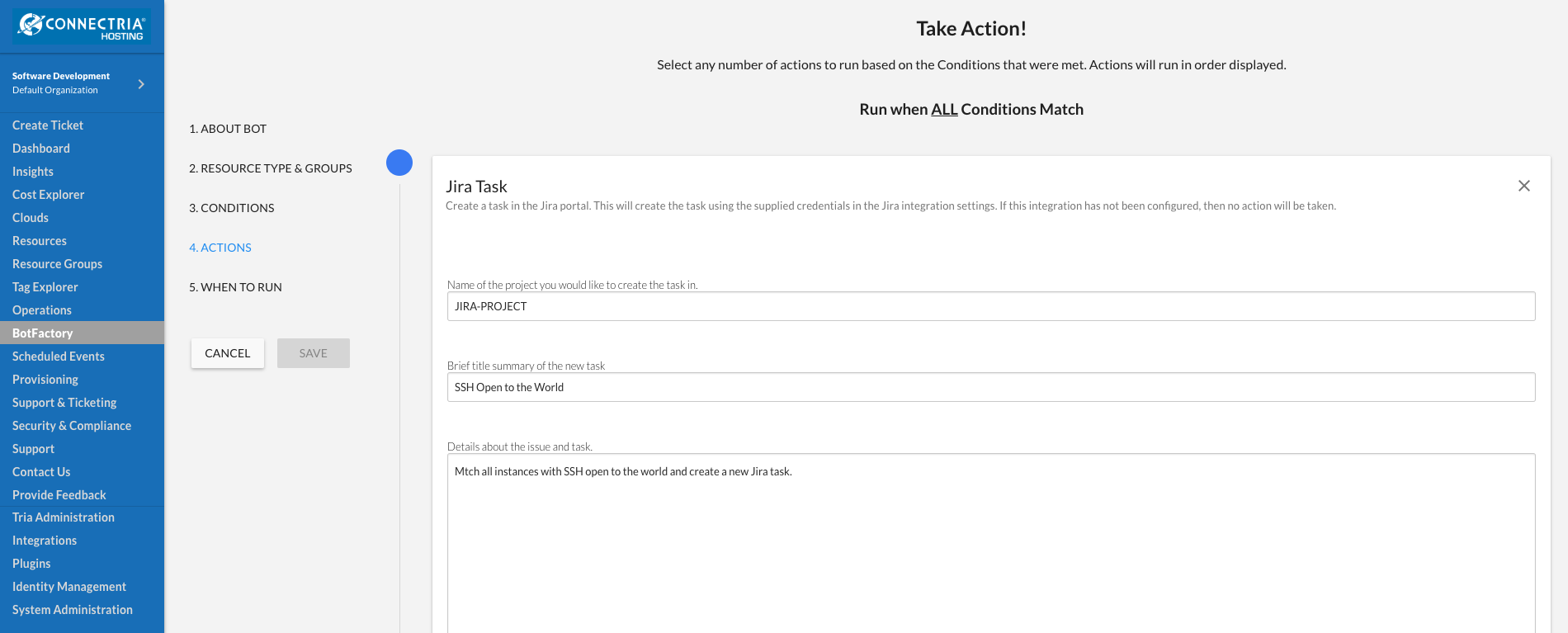
The Jira integration provides TRiA the ability to create Jira tasks, and is compatible with all TRiA resources. As an example, you can create a Jira task if a bot locates an Instance with SSH open to the world.
Follow the steps below to configure and leverage the integration.
1.) Update TRiA
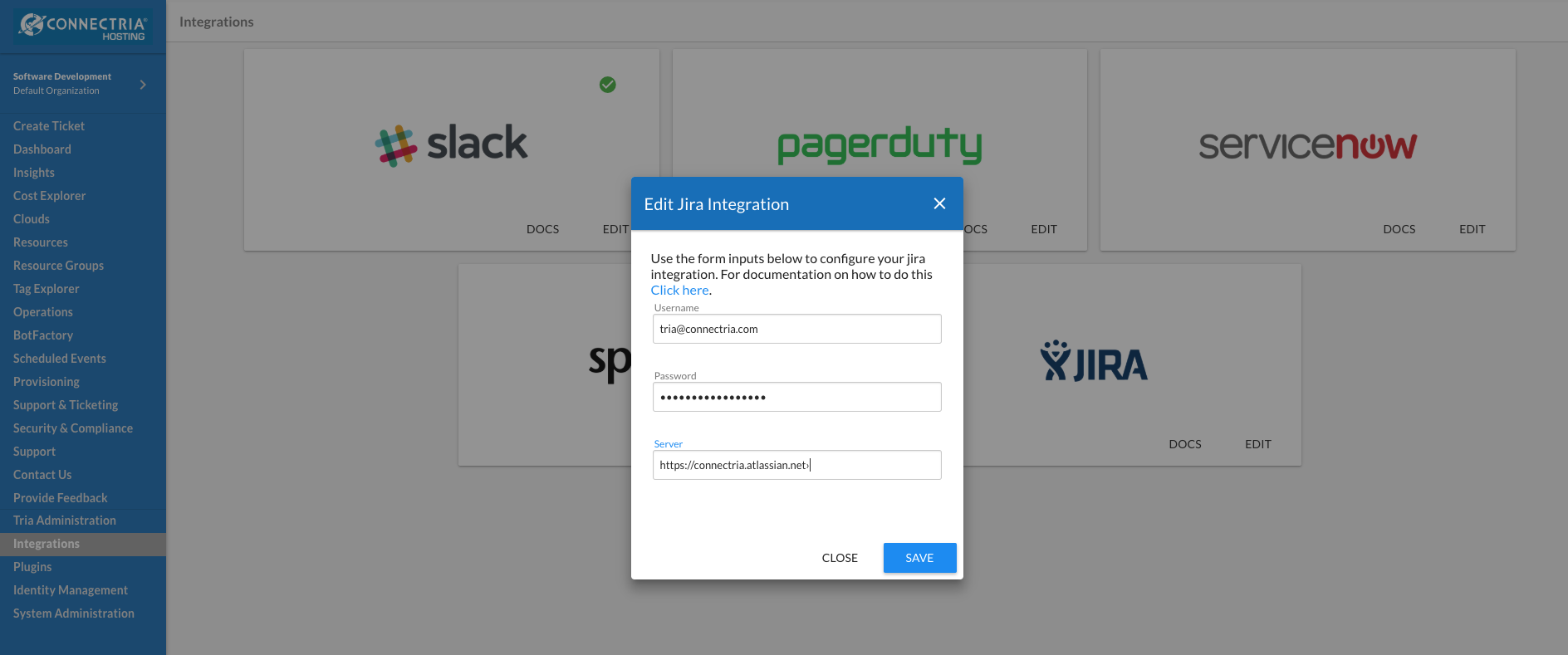
In the TRiA console, click on “Integrations” on the left side of the screen. Then click “edit” and input your username, password, and server to access your Jira account.
Once this is done you can leverage the TRiA Jira action within your Bot configurations.
2.) Resulting Tasks
Once you run your bot and it matches resources, it will create Jira tasks in your Jira console. Log in to your Jira account to see the new tasks.