Security
Security Advisor Insights
Security Advisor Insights shows you the status of security checks for resources in your clouds.
To view security checks by cloud type, select the corresponding icon under “Select Cloud”. In addition to viewing by cloud type, you can look at the security checks for a specific cloud, by choosing the desired cloud in the dropdown menu above the table.
Security checks are broken into three status types: ok, warning, and error. If you wish to only view security checks by a certain status type, click only the corresponding status icon above the table.
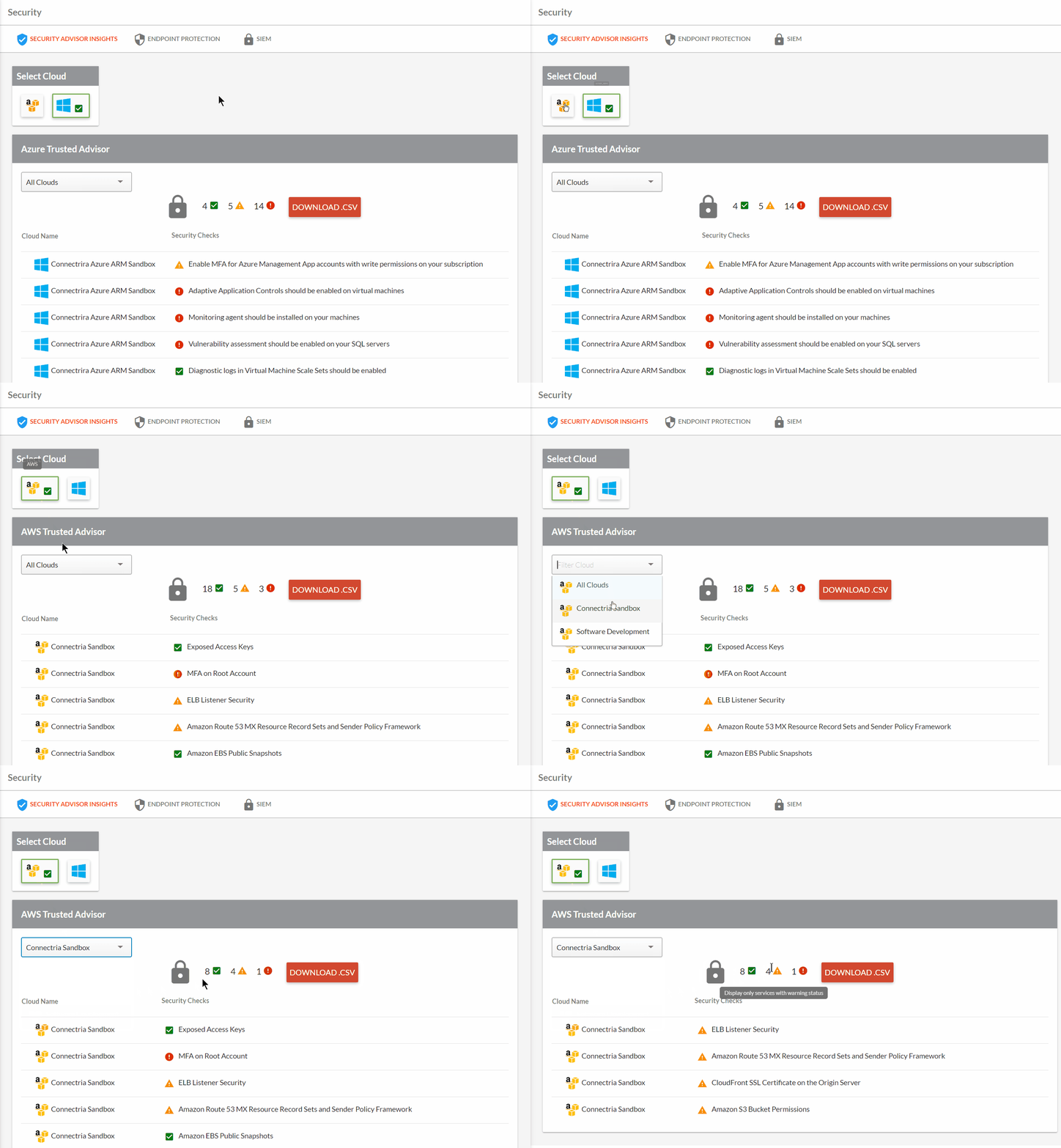
Ways to scope security checks
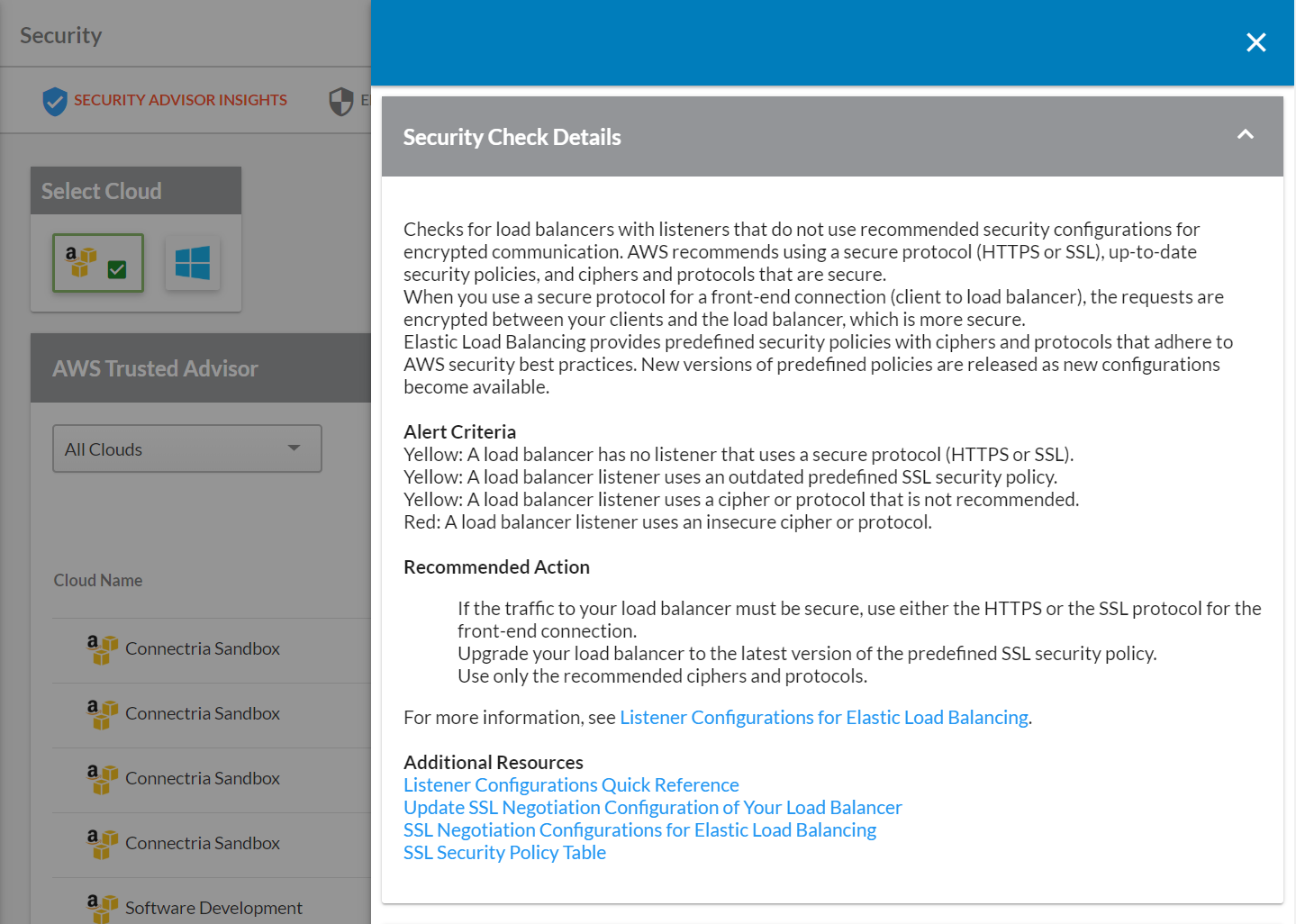
By clicking on a security check in the table, you can see additional details of that check for your cloud such as alert criteria, recommended actions, corresponding resources, and more.
Finally, you can download a csv file of security checks and their statuses for your selected cloud(s) by clicking the DOWNLOAD.CSV button.