Adding Kubernetes Cluster
Kubernetes (k8s) is the world’s leading open-source container-orchestration system for automating deployment, scaling and management of containerized applications. You can add one or more Kubernetes clusters to TRiA following the steps below:
Steps
1.) TRiA
Go to your TRiA account.
2.) Add Cloud
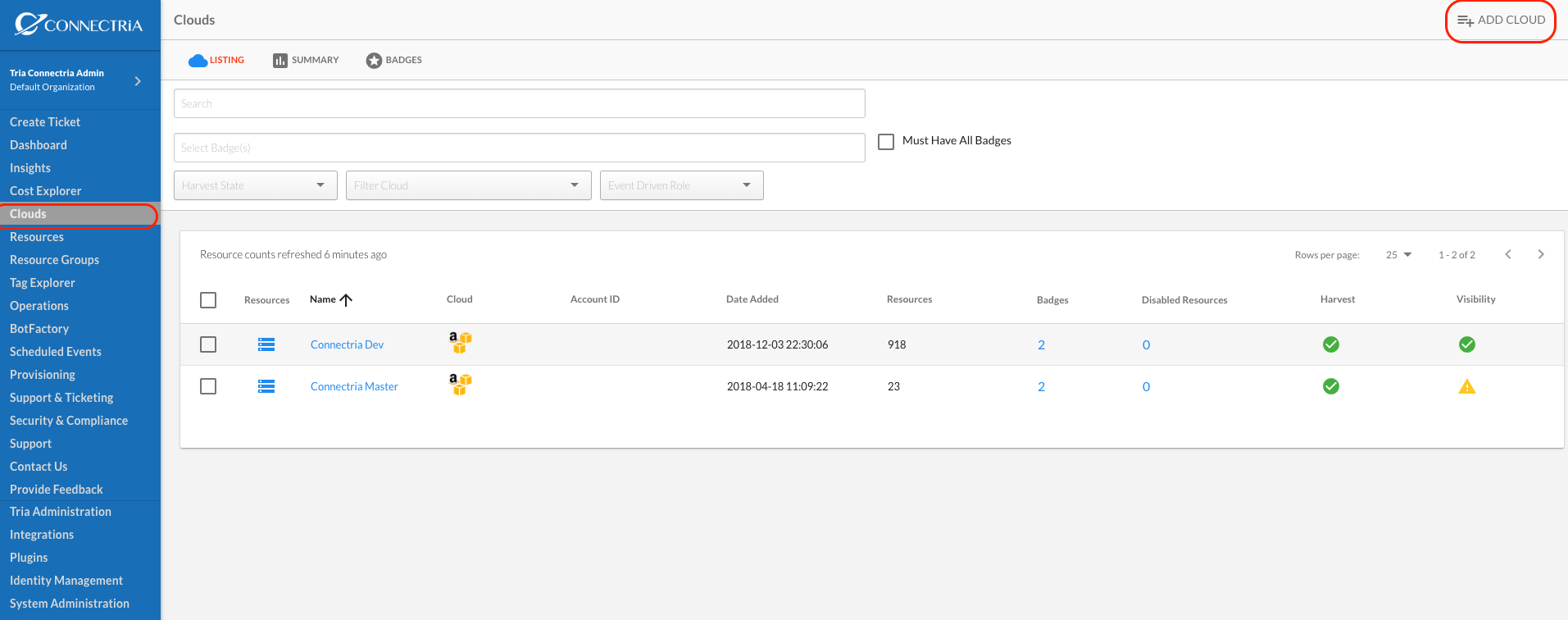
Navigate to Clouds on the left-hand side navigation menu. Click on Add Cloud in the upper right.
3.) Enter Kubernetes Information
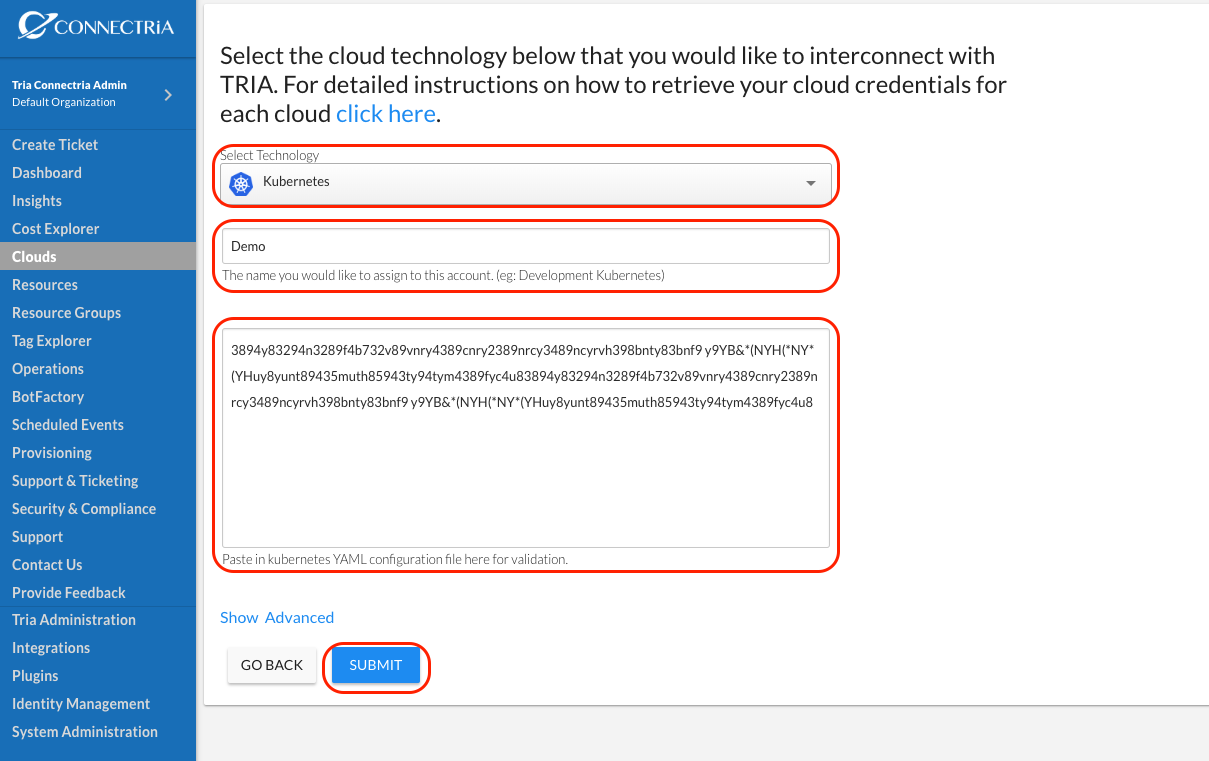
Select Kubernetes in the Select Technology dropbox.
Name your Kubernetes cluster.
Paste in Kubernetes your configuration. Note configuration must be in yaml format.
Click on Submit.
4.) Confirm
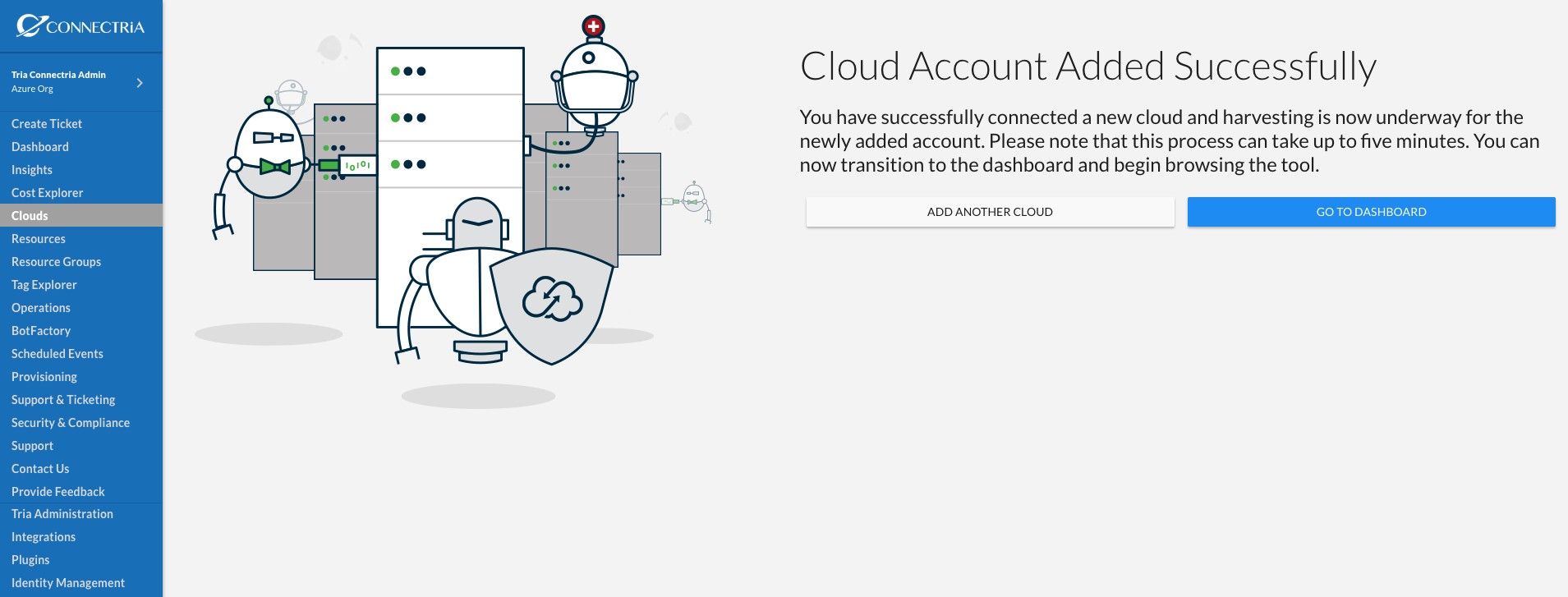
You should see a screen that indicates you have successfully added a cloud account. TRiA will begin harvesting immediately and the data should start to surface afer five minutes or so depending upon the size of your Kubernetes cluster.
You can see your Kubernetes cluster is added by selecting Clouds in the left-hand side navigation menu and confirming that your newly added cluster is listed.